By
By 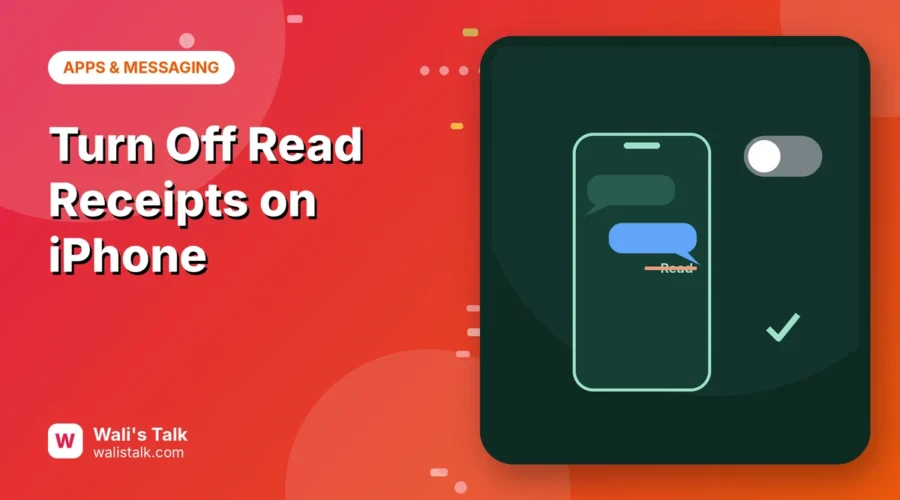
When read receipts are on, people who text you with iMessage see “Read” and the time under their message once you open it. That can create pressure to reply right away. Here’s how to turn off read receipts on iPhone for everyone or just for one person, plus how it works with RCS and on Mac.
Short answer: go to Settings → Apps → Messages and turn off Send Read Receipts. To turn it off (or on) for one person, open their conversation in Messages, tap their name at the top and switch Send Read Receipts off. The per-chat setting overrides the main one.
Applies to: iPhone on iOS 26 and iOS 27 (on older iOS, the path is Settings → Messages). Last checked in October 2026.
How to turn off read receipts for everyone
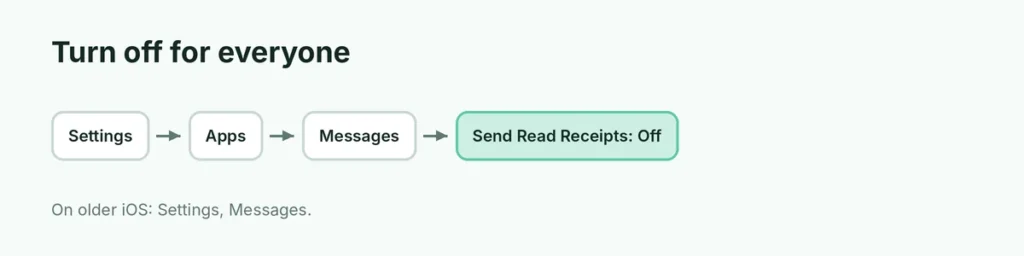
- Open Settings.
- Tap Apps → Messages (on iOS 17 and earlier: Settings → Messages).
- Turn off Send Read Receipts.
Now people will see only Delivered under their iMessages, not Read.
How to turn off read receipts for one person
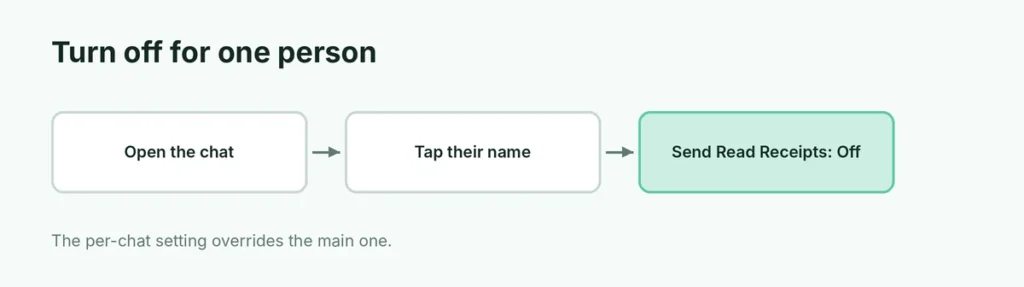
Maybe you want your partner to see read receipts, but not your boss:
- Open Messages and tap the conversation.
- Tap the person’s name or photo at the top.
- Turn Send Read Receipts off (or on).
This works in both directions: you can keep the main setting off and turn it on for just a few people.
Which messages do read receipts work with?
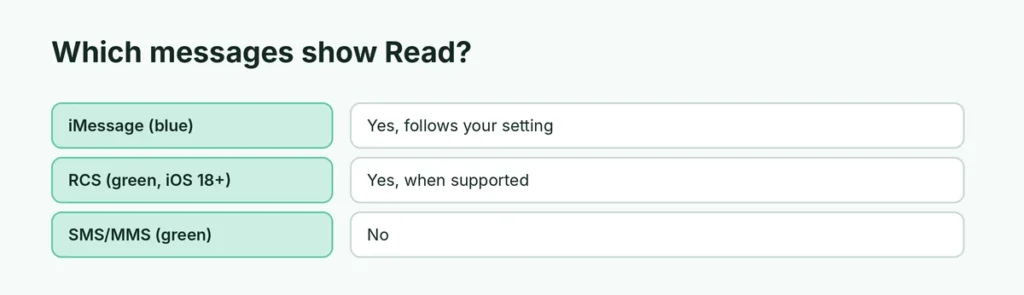
| Message type | Read receipts? |
|---|---|
| iMessage (blue bubble) | Yes, controlled by your setting |
| RCS (green bubble, iOS 18+) | Yes, when both sides support it and the setting allows |
| SMS/MMS (green bubble) | No |
| Group chats | Generally not shown per person in iMessage groups |
So turning off read receipts mainly affects iMessage and RCS chats.
Do read receipts sync with my Mac and iPad?
The main setting is per device. On a Mac, open Messages → Settings → iMessage and uncheck Send read receipts. On iPad, use Settings → Apps → Messages. If one device still has it on and you read a message there, the sender may see Read.
Why does someone still see “Read”?
- You opened the message on another device with read receipts on.
- That chat has its own setting turned on.
- You’re looking at their side of an RCS chat where your setting changed recently; it may take a moment to apply.
- Notifications: reading in a notification preview without opening the chat usually doesn’t send a read receipt.
Read without sending a receipt
Even with receipts on, you can usually read a short message from the notification or Lock Screen preview without marking it as read. Long-press a notification to see more of the message.
Typing indicator (the three dots)
The typing bubble is separate. Apple has no switch to turn it off in iMessage. Other people see it while you’re typing in their chat.
Read receipts in other apps
Each app has its own setting:
- WhatsApp: Settings → Privacy → Read receipts.
- Instagram: Settings and activity → Messages and story replies → Show read receipts.
- Facebook Messenger doesn’t offer a full read receipts switch for normal chats.
Should I turn read receipts off?
It’s personal. Turning them off reduces pressure to reply instantly. Keeping them on helps family and colleagues know you’ve seen something important. The per-person option gives you both.
Related guides
The short version
Turn off Settings → Apps → Messages → Send Read Receipts to stop showing Read to everyone. For one person, open their chat, tap their name and switch Send Read Receipts. Check your Mac and iPad too, because each device has its own setting.
Sources
- Apple Messages User Guide for Mac: Change iMessage settings
- iGeeksBlog: How to turn off read receipts on iPhone