By
By 
Incognito mode in Chrome (and InPrivate in Edge) lets you browse without saving history on your device. Getting out of it is easy once you know where to look, and parents or IT admins can even switch it off completely. Here’s how to turn off Incognito mode in Chrome on a computer, Android and iPhone, plus how to disable it for a child’s device.
Short answer: to leave Incognito, close the Incognito window or tabs. On a computer, click the X on the dark Incognito window. On Android, open the tab switcher, switch to normal tabs, or pull down the notification Close all Incognito tabs. On iPhone, tap the tab switcher and choose your normal tabs. To disable Incognito completely, use Family Link for a child’s Android or Chromebook, Screen Time web limits on iPhone, or the IncognitoModeAvailability policy on Windows and Mac.
Applies to: Google Chrome on Windows, Mac, Android and iPhone; Microsoft Edge InPrivate, October 2026.
How to close Incognito on a computer
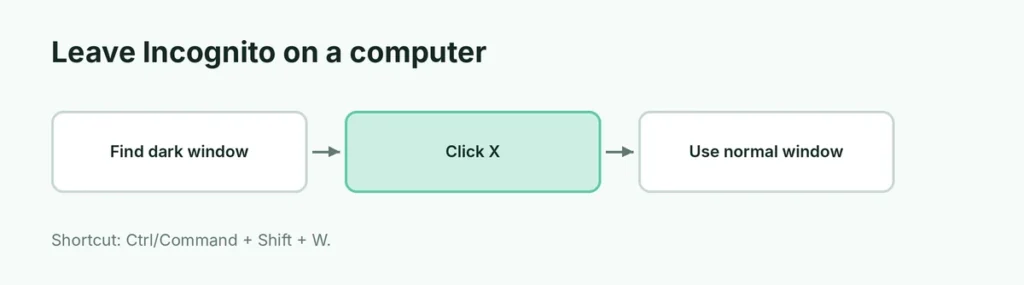
- Find the Incognito window: it’s dark and shows the Incognito icon (hat and glasses) next to the address bar.
- Click the X in the corner (Windows) or the red button (Mac), or press Ctrl + Shift + W (Windows) or Command + Shift + W (Mac).
Closing all Incognito windows ends the session and deletes its cookies and history from your device.
How to turn off Incognito on Android
- Tap the tab switcher (the square with a number) and swipe or tap to your normal tabs.
- To close all Incognito tabs at once, pull down the notification shade and tap Close all Incognito tabs, or in the tab switcher tap three dots → Close all Incognito tabs.
Lock Incognito tabs: Chrome on Android can ask for your fingerprint or screen lock to reopen Incognito tabs. Change it in Settings → Privacy and security → Lock Incognito tabs when you leave Chrome.
How to turn off Incognito on iPhone
- Open Chrome and tap the tab switcher at the bottom.
- Tap the normal tabs icon (the number) at the top instead of the Incognito icon.
- To close Incognito tabs: switch to Incognito, tap Edit → Close All Tabs.
Safari’s version is called Private Browsing. Here’s how to turn off Private Browsing on iPhone.
How to disable Incognito mode completely
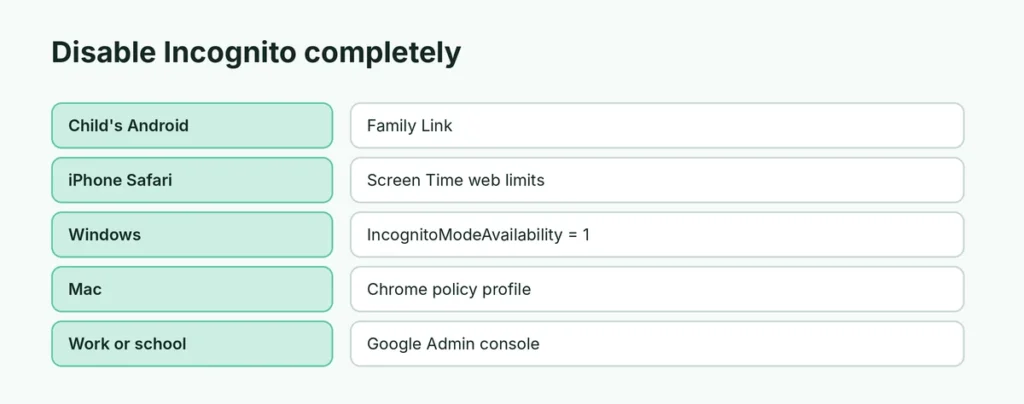
Sometimes you want Incognito gone, for example on a child’s device:
| Device | How to disable Incognito |
|---|---|
| Child’s Android or Chromebook | Family Link: managed Chrome on supervised accounts doesn’t allow Incognito |
| iPhone (Safari) | Screen Time → Content & Privacy Restrictions → Web Content → Limit Adult Websites (also removes Private Browsing) |
| Windows | Chrome policy IncognitoModeAvailability = 1 (Registry or Group Policy) |
| Mac | Chrome policy IncognitoModeAvailability = 1 via a configuration profile or defaults command |
| Work/School | IT admin sets it in the Google Admin console |
Windows (Registry) steps, for advanced users:
- Press Windows + R, type regedit and press Enter.
- Go to
HKEY_LOCAL_MACHINE\SOFTWARE\Policies\Google\Chrome(create the Google and Chrome keys if they don’t exist). - Create a DWORD (32-bit) Value named IncognitoModeAvailability and set it to 1.
- Restart Chrome.
Editing the Registry wrongly can cause problems, so back it up first. To undo, delete the value.
What Incognito does and doesn’t hide
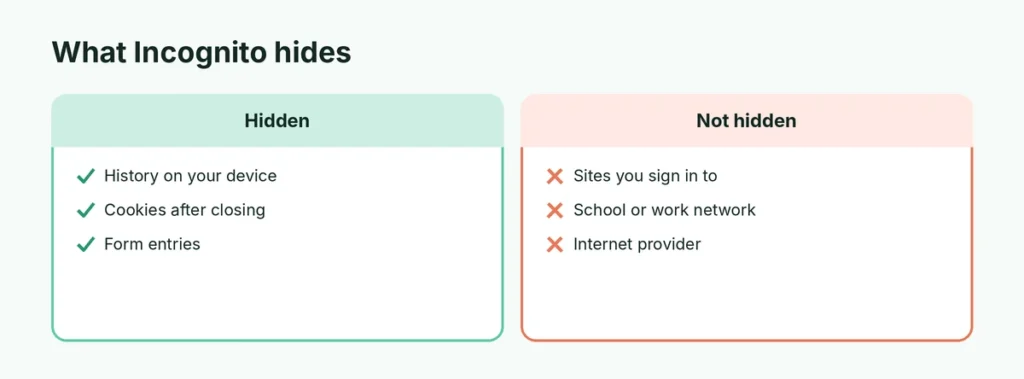
| Hidden in Incognito? | |
|---|---|
| Browsing history on your device | Yes |
| Cookies after you close the window | Yes, deleted |
| Your activity from websites you sign in to | No |
| Your activity from your school, employer or internet provider | No |
| Downloads and bookmarks you save | No, they stay |
Turn off InPrivate in Microsoft Edge
Close the InPrivate window (it’s dark with a blue “InPrivate” label). To disable it, admins can use the Edge policy InPrivateModeAvailability = 1.
Related guides
- How to turn off Private Browsing on iPhone
- How to make Chrome your default browser
The short version
To leave Incognito, close the dark Incognito window or switch to your normal tabs in the tab switcher. To remove Incognito completely, use Family Link for kids, Screen Time web limits on iPhone, or the IncognitoModeAvailability = 1 Chrome policy on Windows and Mac.
Sources
- Google Chrome Help: Browse in Incognito mode