By
By 
Every big tech company gives you some free cloud storage, but the amounts, limits and catches are very different. Some count your email and photos against the same space, some limit how many devices you can use, and some encrypt your files so even the company can’t read them. Here’s how the main free plans compare in 2026, and how to pick the right one (or two).
Short answer: if you use an Android phone and Gmail, Google Drive’s 15 GB is the obvious starting point, but it’s shared with Gmail and Google Photos. For the most free space, MEGA gives at least 20 GB. For privacy, Proton Drive encrypts everything, with up to 5 GB free. OneDrive and iCloud give 5 GB, and Dropbox Basic just 2 GB.
Applies to: the free plans of Google Drive, MEGA, OneDrive, iCloud, Proton Drive and Dropbox, checked in October 2026. Free plans change, so check each provider before relying on the numbers.
Free storage at a glance
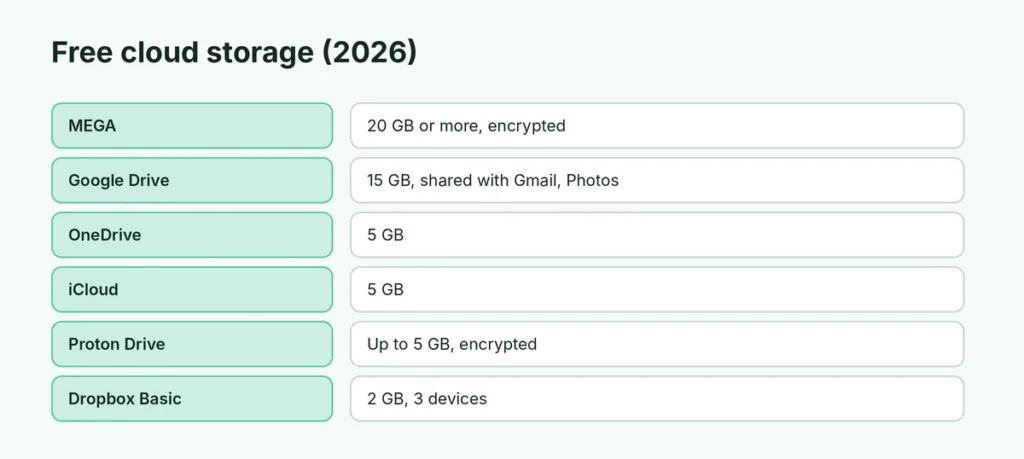
| Service | Free storage | Main catch | Company can’t read your files? |
|---|---|---|---|
| MEGA | 20 GB or more | Download limits on the free plan; bonus space expires | Yes |
| Google Drive | 15 GB | Shared with Gmail, Google Photos and Android WhatsApp backups | No |
| OneDrive | 5 GB | Small; can fill up by syncing your Desktop | No |
| iCloud | 5 GB | Mainly useful on iPhone and Mac | Optional (Advanced Data Protection) |
| Proton Drive | 2 GB, then 5 GB | Finish a short checklist within 30 days | Yes |
| Dropbox Basic | 2 GB | Up to 3 devices | No |
Google Drive: the default for Android users
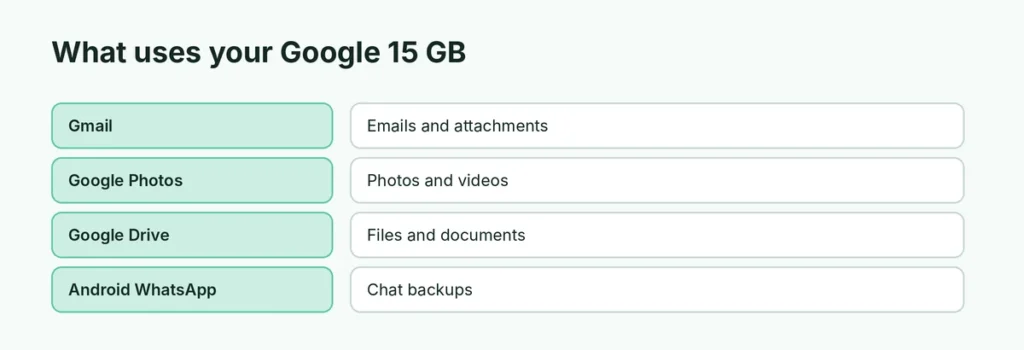
If you have an Android phone, you already have a Google account and therefore 15 GB of free storage. It works everywhere: phone, web, Windows and Mac, and Google Docs, Sheets and Slides files are easy to share and edit together.
The catch: that 15 GB is shared between Drive, Gmail and Google Photos, and WhatsApp backups on Android count against it too. Photos and email attachments fill it quickly. When it’s full, Gmail can stop receiving emails and WhatsApp backups stop. If that’s already happened, see why WhatsApp backups fail on Google Drive, and free space fast by learning how to mass delete Gmail emails.
Best for: everyday files, phone backups and sharing documents with others.
MEGA: the most free space
MEGA gives at least 20 GB on the free plan, more than any other major provider, and it encrypts your files before they leave your device, so MEGA itself can’t read them. You can earn temporary bonus space (for example by installing its apps), but bonus storage expires after a year.
The catch: free accounts have transfer limits, so downloading a lot of data in a short time can pause until the limit resets. And if you lose both your password and recovery key, your files can’t be recovered, because of the encryption.
Best for: storing large files you don’t need to download often, and anything private.
OneDrive: fine if you use Windows and Office
OneDrive is built into Windows and gives 5 GB free. It can back up your Desktop, Documents and Pictures folders automatically, which is convenient but is also how many people fill their free space without noticing. If you don’t want it, here’s how to turn off OneDrive.
Best for: Windows users who mainly back up documents. A Microsoft 365 Personal subscription raises it to 1 TB, and Family gives more space to share.
iCloud: for iPhone and Mac
Every Apple account gets 5 GB of iCloud storage, shared between iPhone backups, Photos, iCloud Drive and Mail. That fills up fast on an iPhone, so most iPhone users either upgrade to iCloud+ or turn off backups for big apps. See how to get more storage on iPhone and how to use iCloud Drive.
Best for: iPhone and Mac users. It’s of little use on Android.
Proton Drive: for privacy
Proton Drive, from the company behind Proton Mail, encrypts every file so only you can read it. Free accounts start at 2 GB and get upgraded to 5 GB when you finish a three-step welcome checklist within 30 days: upload a file, create a share link and set up a recovery method.
Best for: sensitive documents such as ID scans, contracts and private records, where privacy matters more than space.
Dropbox Basic: small but simple
Dropbox Basic offers 2 GB and lets you connect up to 3 devices. It’s mainly useful if someone shares a Dropbox folder with you, or for a small set of files you need on a couple of devices.
How to choose
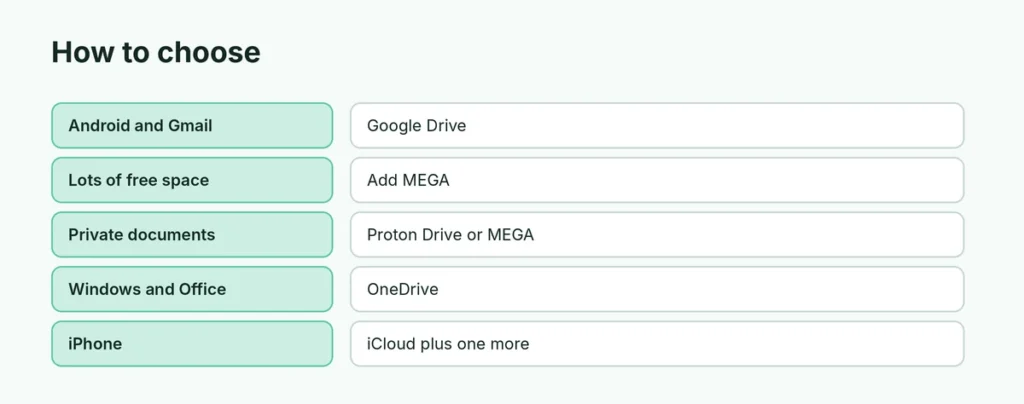
- You use Android and Gmail: stick with Google Drive, keep it tidy, and buy more Google storage only when needed.
- You need lots of free space: add MEGA as a second drive for large files.
- You store private documents: use Proton Drive or MEGA, which encrypt everything.
- You’re on Windows and use Office: OneDrive, especially if you already pay for Microsoft 365.
- You have an iPhone: iCloud for backups, plus Google Drive or MEGA for big files.
You don’t have to choose just one. Example: Google Drive for everyday files (15 GB) plus MEGA for large or private files (20 GB) gives you 35 GB or more free.
Three rules for any cloud storage
- Turn on two-step verification for the account. Your cloud storage is only as safe as its password.
- Don’t rely on one copy. Cloud storage isn’t a backup if it’s the only place a file exists. Keep important files in at least two places, such as the cloud plus a USB drive.
- Know how to get back in. If you lose access to the account, you lose the files. Here’s how to recover a Google account without a phone or email.
Related guides
- Android storage almost full? How to free space
- How to back up an Android phone
- How to back up an iPhone
The short version
MEGA gives the most free space (20 GB or more) with encryption. Google Drive gives 15 GB but shares it with Gmail, Photos and Android WhatsApp backups. OneDrive and iCloud give 5 GB, Proton Drive up to 5 GB with full encryption, and Dropbox Basic 2 GB on up to 3 devices. For most people, Google Drive plus one encrypted service covers everything for free.
Sources
- Google Help: How your Google storage works
- Proton Support: How to get more storage on Proton Drive
- Dropbox: Dropbox Basic
- Cloudwards: MEGA cloud storage review
- IONOS Digital Guide: What is OneDrive? and What is iCloud?