 By
A briefcase icon on your Android apps means your phone has a work profile: a separate, company-managed space for work apps like Outlook, Teams or Slack. If you’ve left the job, no longer need work apps, or just want the icon gone, you can pause the profile or remove it. Here’s what a work profile is, how to turn it off, and how to delete it for good.
Short answer: to remove it, open Settings → Passwords and accounts (on some phones Accounts or Passwords, passkeys & accounts) → Work tab → Remove work profile → Delete. This deletes all work apps and work data, but not your personal apps, photos or messages. To just pause it, tap the Work apps (briefcase) tile in Quick Settings, or open the Work tab in your app drawer and tap Pause work apps. You can only delete it if you own the phone.
Applies to: Android phones with a work profile, including Google Pixel and Samsung Galaxy, November 2026.
Pause or remove?
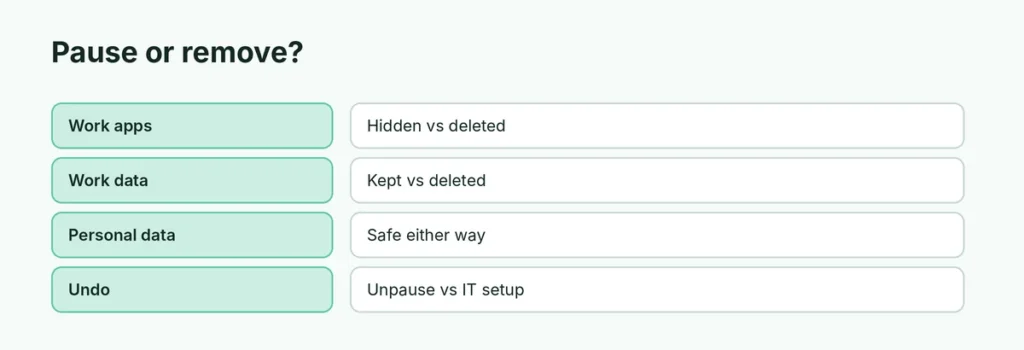
| Pause work apps | Remove work profile | |
|---|---|---|
| Work apps | Hidden or grayed out | Deleted |
| Work notifications | Stop | Stop for good |
| Work data | Kept | Deleted |
| Personal apps and data | Not affected | Not affected |
| Undo | Unpause anytime | Your IT team must set it up again |
How to pause your work profile
- Quick Settings: swipe down twice from the top and tap the Work apps tile (briefcase).
- App drawer: swipe up, open the Work tab and tap Pause work apps.
- On a schedule: Settings → Digital Wellbeing & parental controls → Work apps schedule (on phones that offer it).
How to remove the work profile
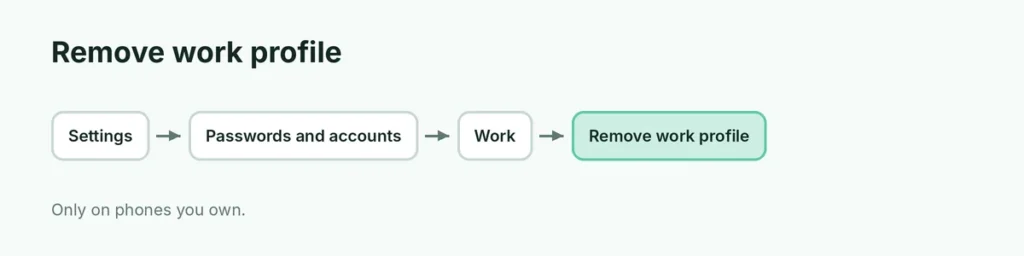
- Open Settings.
- Tap Passwords and accounts (or Accounts).
- Open the Work tab.
- Tap Remove work profile, then Delete.
- If a Device Policy or company portal app (like Intune Company Portal) is still installed, uninstall it.
If you don’t see Remove work profile, try searching work profile in the Settings search bar.
Why can’t I remove it?
- The phone belongs to your company. On company-owned phones, the option is blocked. Ask your IT team to release it.
- Your company manages the whole device. Some phones are fully managed, not just a work profile. Only IT can remove that, usually with a factory reset.
- An app reinstalls it. If you sign in to work email again, it may ask to create a new work profile.
As a last resort on a phone you own, a factory reset removes everything, including the work profile, so back up your phone first.
What happens after you remove it
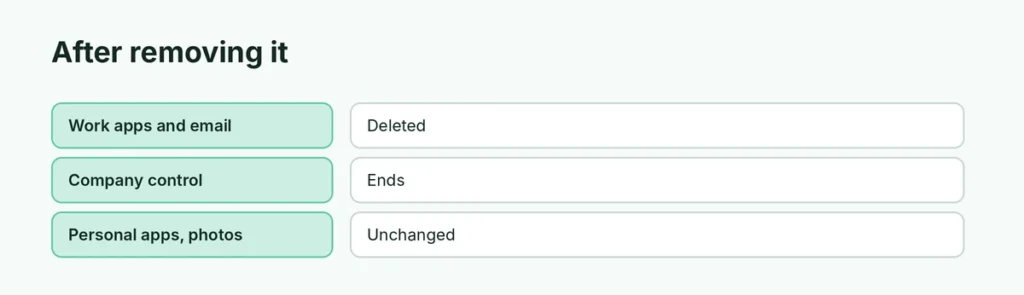
- Work apps, work email and files stored in the work profile are deleted from the phone.
- Your company can no longer manage that part of your phone.
- Your personal Google account, photos, messages and apps stay exactly as they were.
Related guides
- How to uninstall apps on Android
- How to back up an Android phone
- How to factory reset an Android phone
The short version
The briefcase icon means a work profile. Pause it from the Work apps Quick Settings tile or the Work tab in the app drawer. To delete it, go to Settings → Passwords and accounts → Work → Remove work profile → Delete. Only work apps and data are removed, and the option only appears on phones you own.
Sources
- Google Workspace Help: What is an Android work profile?
- BGR: What the briefcase symbol on your Android phone means
- TechTarget: How to remove a work profile from an Android device