 By
When your iPhone’s battery icon turns yellow, Low Power Mode is on. It saves battery by slowing some background tasks, but it can also make your phone feel slower, stop email checking and dim the screen sooner. Here’s how to turn off Low Power Mode on iPhone, why it may keep turning on, and how to do the same on Mac and Android.
Short answer: open Control Center and tap the battery icon to turn it off, or go to Settings → Battery and turn off Low Power Mode. iPhone also turns it off automatically once the battery charges to about 80%. If it keeps coming back, check Shortcuts → Automation for a rule that turns it on.
Applies to: iPhone on iOS 26 and iOS 27, Mac on macOS 26 and Android phones. Last checked in October 2026.
How to turn off Low Power Mode on iPhone
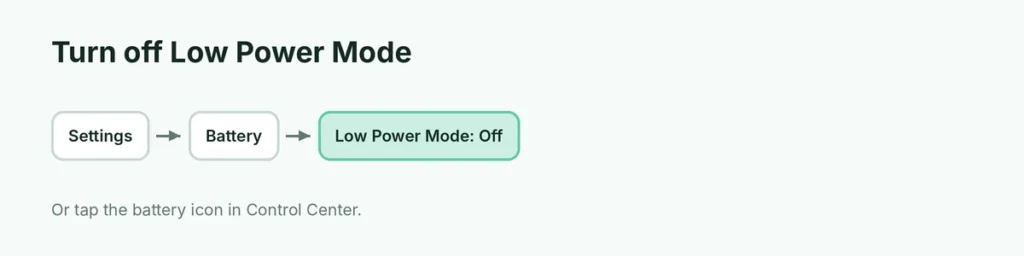
From Settings:
- Open Settings.
- Tap Battery.
- Turn off Low Power Mode.
From Control Center:
- Swipe down from the top-right corner.
- Tap the battery icon (it’s highlighted when on).
Don’t see the battery button? Touch and hold an empty spot in Control Center → Add a Control → search Low Power Mode.
What Low Power Mode changes
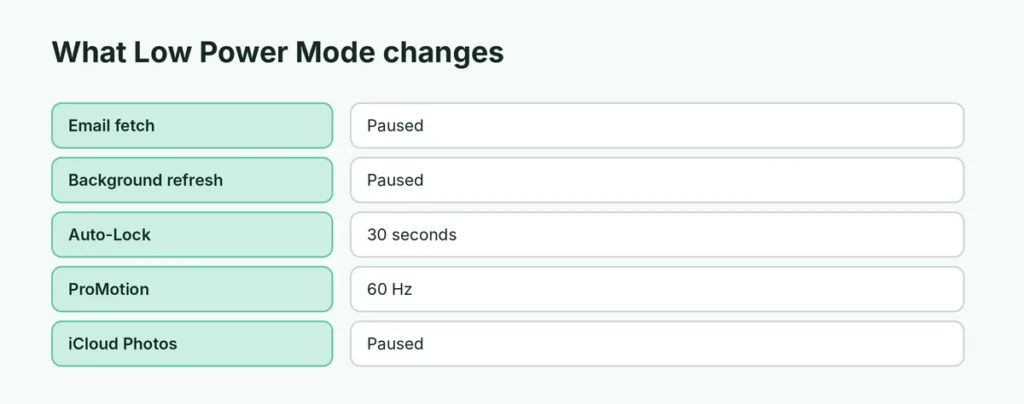
| Feature | With Low Power Mode on |
|---|---|
| Battery icon | Turns yellow |
| Email fetch | Paused or slower |
| Background app refresh | Paused |
| Auto-Lock | Shorter (30 seconds) |
| Screen refresh rate (ProMotion) | Limited to 60 Hz |
| Some visual effects | Reduced |
| iCloud Photos sync | Paused |
| 5G | Mostly off, except for video streaming |
Calls, texts and the internet still work normally.
Why does Low Power Mode keep turning on?
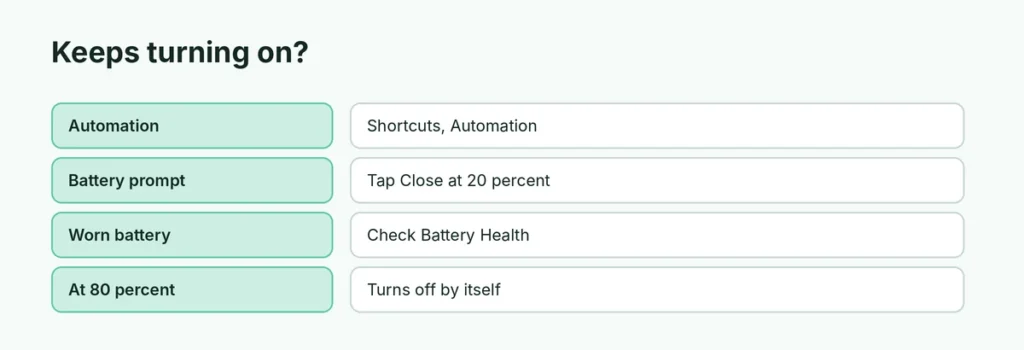
| Cause | Fix |
|---|---|
| Shortcuts automation | Shortcuts → Automation → delete or turn off the Low Power Mode rule |
| You tapped “Low Power Mode” at 20% | iPhone offers it at 20% and 10%; tap Close instead |
| Focus or Personal Automation | Check automations tied to time or battery level |
| Battery health | A worn battery drains fast; check Settings → Battery → Battery Health |
Does Low Power Mode turn off by itself?
Yes. On iPhone, Low Power Mode turns off automatically when the battery charges to around 80%. If you want it off sooner, turn it off manually.
Is it bad to leave Low Power Mode on?
No, it doesn’t harm the battery. Some people keep it on all day. Just remember that email, iCloud backups and some notifications may be delayed.
How to turn off Low Power Mode on Mac
- Open System Settings.
- Click Battery.
- Next to Low Power Mode, choose Never (other options: Always, Only on Battery, Only on Power Adapter).
How to turn off Power Saving on Android
Android calls it Battery Saver or Power saving:
- Pixel: Settings → Battery → Battery Saver → turn off Use Battery Saver.
- Samsung: Settings → Battery → turn off Power saving.
- Quick Settings: swipe down twice and tap the Battery Saver or Power saving tile.
Also check Turn on automatically or Set a schedule in those menus.
Related guides
The short version
Turn off Settings → Battery → Low Power Mode, or tap the battery icon in Control Center. It turns off by itself around 80% charge. If it keeps coming back, remove any Shortcuts automation. On Mac, set Low Power Mode to Never; on Android, turn off Battery Saver or Power saving.
Sources
- Apple: iPhone User Guide