By
By 
You’ve been messaging someone on WhatsApp and suddenly everything goes quiet: no profile picture, no “online”, and your messages stay on one gray tick. Did they block you? WhatsApp never tells you directly, on purpose, but a few signs together give a pretty clear answer.
Short answer: WhatsApp doesn’t notify you when you’re blocked. The signs are: you can’t see their last seen, online status or profile photo, your messages show only one gray tick and never get a second, calls don’t connect, and you can’t add them to a group. If all of these happen together for days, you’ve most likely been blocked. Any one sign on its own can also be caused by privacy settings or a phone that’s off.
Last updated: October 2026. Applies to WhatsApp on Android, iPhone, WhatsApp Web and desktop.
The 5 signs someone blocked you on WhatsApp
1. You can’t see their last seen or “online”
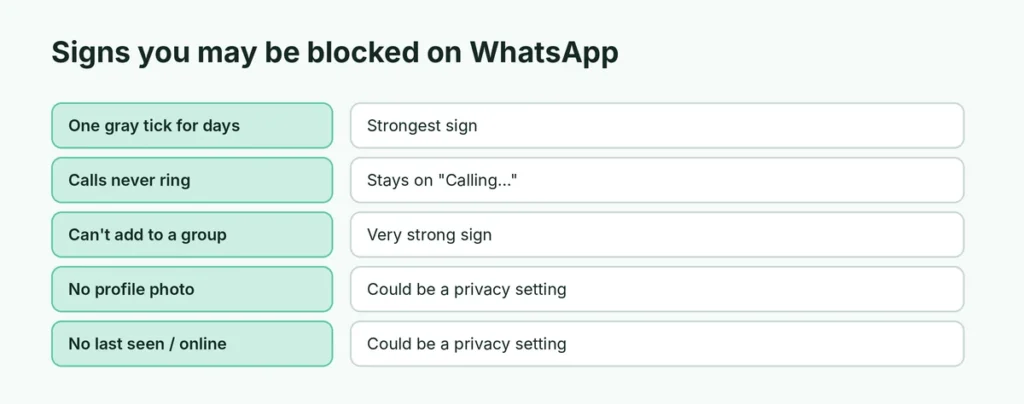
When someone blocks you, their last seen and online status disappear from the top of the chat. But many people hide these anyway in Settings → Privacy → Last seen and online, so this sign alone proves nothing.
2. Their profile photo disappeared
A blocked contact’s profile picture is replaced by the default gray avatar for you. Again, they may have changed their Profile photo privacy to “My contacts” (and deleted your number) or removed the photo altogether.
3. Your messages show only one gray tick
This is the strongest sign. A message to someone who blocked you shows one gray tick (sent) and never shows the second tick (delivered). It stays that way forever. If they had simply turned off their phone or lost internet, the second tick would appear once they’re back online, usually within a day or two.
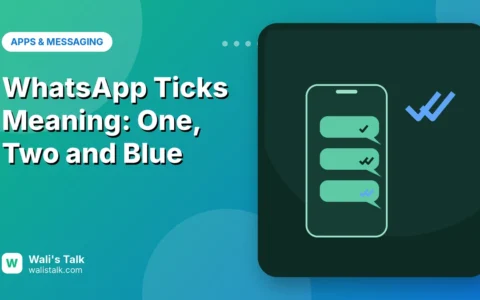
Not sure what each tick means? Here’s what one tick, two ticks and blue ticks mean on WhatsApp.
4. Your calls don’t go through
Voice and video calls to someone who blocked you keep showing “Calling…” and never change to “Ringing…”. They don’t ring on the other person’s phone at all.
5. You can’t add them to a group
If you’re a group admin and try to add them, WhatsApp shows a message such as “Couldn’t add contact” or that you’re not allowed to add them. This is one of the clearest signs, though people can also restrict who adds them to groups in Settings → Privacy → Groups.
Signs that are NOT proof of a block
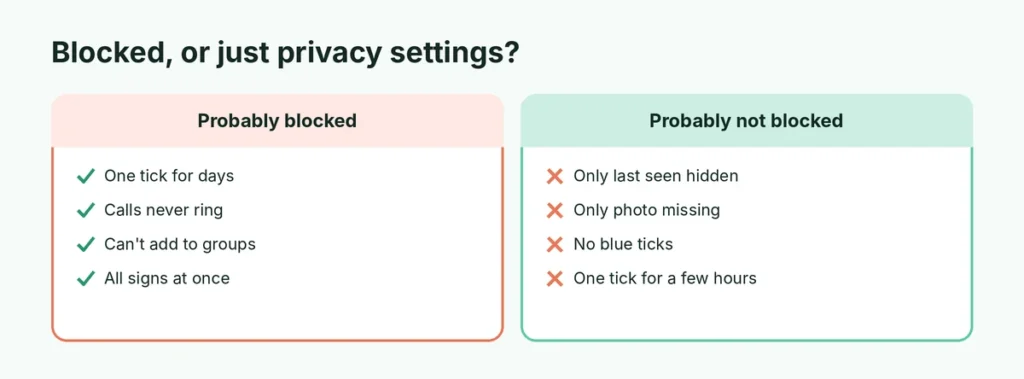
| What you see | Could also mean |
|---|---|
| No last seen or online | They hid it in Privacy settings |
| No profile photo | They removed it, or hide it from non-contacts |
| No status updates | They hide status from you, or don’t post |
| One gray tick for a few hours | Phone off, no internet, or WhatsApp not opened |
| No blue ticks | They turned off read receipts |
The only reliable pattern is several signs together, especially one gray tick for days plus calls that never ring.
Can you check with another number?
Some people ask a friend to look at the person’s profile. If your friend sees the photo and last seen, but you don’t, you were probably blocked (or they hide those details from you only). This is not a perfect test, and checking repeatedly on someone who doesn’t want contact isn’t a great idea. If someone has blocked you, the respectful thing is to give them space.
What happens to your messages after you’re blocked?
- Messages you send are never delivered, even if they unblock you later. They stay at one tick forever.
- They can’t see your new profile photo, status or last seen.
- You can still see the old chat history on your phone; blocking doesn’t delete it.
- They don’t get any notification that you messaged or called.
Did they delete WhatsApp instead?
If someone uninstalled WhatsApp or deleted their account, you’ll see similar signs: one tick and no calls. The difference:
- If they deleted their account, their profile photo and “About” usually vanish and you may not be able to message the number at all.
- If they just uninstalled the app, messages show one tick until they reinstall, then all deliver at once.
There’s no way to be 100% sure which one happened.
How to block (or unblock) someone yourself
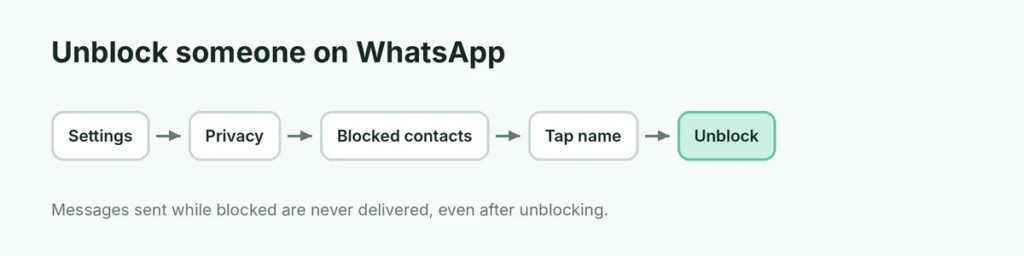
To block someone: open the chat → tap their name → Block (you can also Report if they’re sending spam). To unblock: Settings → Privacy → Blocked contacts → tap the person → Unblock.
Blocking on WhatsApp doesn’t block their phone calls or SMS. To stop unwanted calls on an iPhone, here’s how to stop spam calls on iPhone. If you want to message someone new without saving their number, here’s how to message on WhatsApp without saving the number.
If you think someone is reading your WhatsApp
Feeling that messages are being seen by someone else is a different problem from being blocked. Check which computers and browsers are logged in to your account: here’s how to check WhatsApp linked devices.
Can you message someone who blocked you?
Not through WhatsApp. Workarounds like creating a group with them or using a second number are against WhatsApp’s spirit and can get your account reported. If you need to reach someone for something important (shared bills, kids, work), use another channel such as email, or ask a mutual friend to pass on a message.
Blocked vs. restricted: other privacy settings that look similar
WhatsApp has several privacy options that can make it look like you’re blocked when you aren’t:
- Last seen and online: can be set to “Nobody” or “My contacts except…”, so you specifically may not see it.
- Profile photo: can be hidden from people who aren’t in their contacts, or from chosen contacts.
- Status: can be shared with “My contacts except…” so you don’t see their updates.
- Read receipts off: your messages stay at two gray ticks instead of turning blue.
- Groups: can be limited to “My contacts” or “My contacts except…”, so you can’t add them.
- Silence unknown callers: if they haven’t saved your number, your calls may not ring for them even though you’re not blocked.
That’s why one sign alone isn’t proof. A block is the only thing that combines one gray tick for days with calls that never ring.
Did they block you, or did they change phones?
When someone moves to a new phone and doesn’t restore WhatsApp right away, messages can sit at one tick for a while. Once they set up WhatsApp again, all your messages deliver at once and you’ll see the second tick appear. If they’ve changed their number, you’ll often see a notice in your chat saying the contact changed their number.
What the other person sees when they block you
They don’t receive your messages, calls or status updates. Your chat stays in their list unless they delete it, and they can unblock you any time from Settings → Privacy → Blocked contacts. When they unblock you, only new messages are delivered; anything you sent while blocked never arrives.
Feeling hurt about being blocked?
Being blocked can sting, especially by someone close. Try not to keep checking their profile or contact them through other accounts, which can make things worse. If it’s someone you need to deal with (work, family logistics), a short, calm email or a message through a mutual contact is the respectful route.
Quick checklist
| Check | Blocked? |
|---|---|
| One gray tick for 2+ days | Likely |
| Calls never ring | Likely |
| Can’t add them to a group | Very likely |
| No profile photo and no last seen | Possible |
| All of the above together | Almost certainly |
The short version
WhatsApp won’t tell you if you’ve been blocked. Look for several signs together: no last seen or profile photo, messages stuck on one gray tick for days, calls that never ring, and being unable to add them to a group. Any single sign can just be a privacy setting or a phone that’s off. If all of them line up, you’ve almost certainly been blocked, and the best move is to respect their choice.