 By
On Instagram, a green dot or “Active now” shows friends when you’re online. If you want to scroll or read DMs without everyone knowing, you can turn off your activity status. Here’s how to turn off activity status on Instagram on iPhone, Android and the web, and what changes when you do.
Short answer: go to your profile → menu (three lines) → Settings and activity → Messages and story replies → Show activity status, and turn off Show activity status (and Show when you’re active together if you see it). When it’s off, you also can’t see other people’s activity status. On a computer, go to instagram.com → More → Settings → Messages and story replies → Show activity status.
Applies to: Instagram app for iPhone and Android and instagram.com, October 2026.
How to turn off activity status in the app
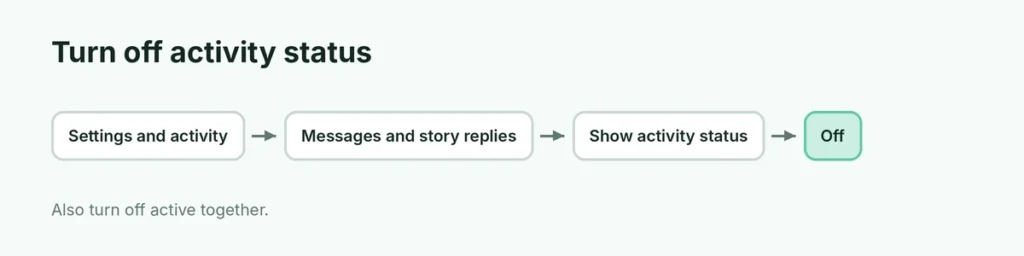
- Open Instagram and tap your profile picture.
- Tap the menu (three lines) at the top right.
- Tap Settings and activity.
- Tap Messages and story replies.
- Tap Show activity status.
- Turn off Show activity status.
Also turn off Show when you’re active together if it appears; it can show when you’re in the same chat at the same time.
How to turn off activity status on a computer
- Go to instagram.com and sign in.
- Click More (three lines, bottom left) → Settings.
- Click Messages and story replies → Show activity status.
- Turn it off.
What changes when it’s off
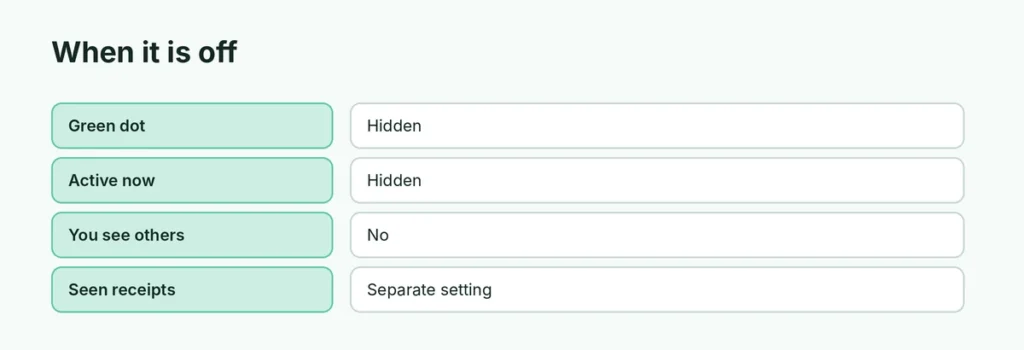
| Activity status on | Off | |
|---|---|---|
| Green dot on your profile in DMs | Shown | Hidden |
| “Active now” / “Active 2h ago” | Shown | Hidden |
| You see others’ activity | Yes | No |
| Read receipts (“Seen”) | Separate setting | Separate setting |
| Typing indicator | Shown | Still shown |
Activity status vs. read receipts
They’re separate. Even with activity status off, people can see “Seen” under their message once you read it. Here’s how to turn off Instagram read receipts.
Why do I still look active?
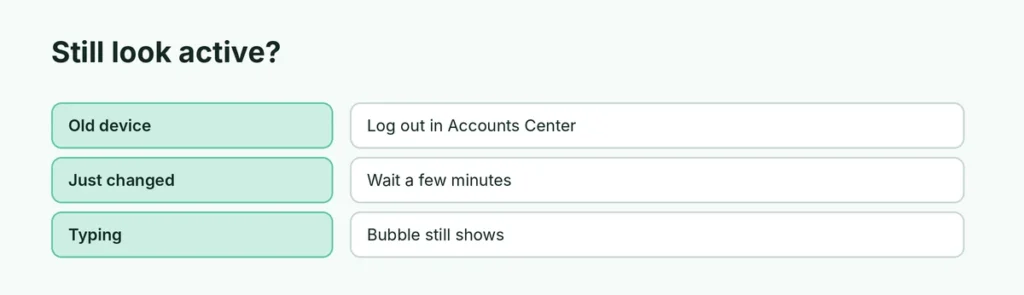
- Another device where you’re logged in still has it on. The setting usually syncs, but log out of old devices in Accounts Center → Password and security → Where you’re logged in.
- Recently active: it can take a few minutes to update.
- Typing: the typing bubble still appears in a chat.
Activity status on Facebook and Messenger
Facebook has its own setting. Here’s how to turn off active status on Facebook.
Other privacy settings to check
- Private account: Account privacy → Private account.
- Story hiding: Hide story and live from specific people.
- Instagram Map location: set to No one. See how to turn off Instagram Map.
Related guides
The short version
Go to Settings and activity → Messages and story replies → Show activity status and turn it off (plus Show when you’re active together). You won’t see others’ status either, and read receipts are a separate switch.
Sources
- SlashGear: How to turn off read receipts on Instagram