 By
Your Gmail password is also your Google account password, so changing it protects your email, Google Photos, Drive, YouTube and everything else. It takes a minute on a computer or phone. Here’s how, plus what to do if you forgot your current password.
Short answer: go to myaccount.google.com → Security → Password (under “How you sign in to Google”), sign in again, type your new password twice and click Change password. On Android: Settings → Google → Manage your Google Account → Security → Password. On iPhone, open the Gmail app → your profile picture → Manage your Google Account → Security → Password.
Last updated: November 2026.
How to change your Gmail password on a computer
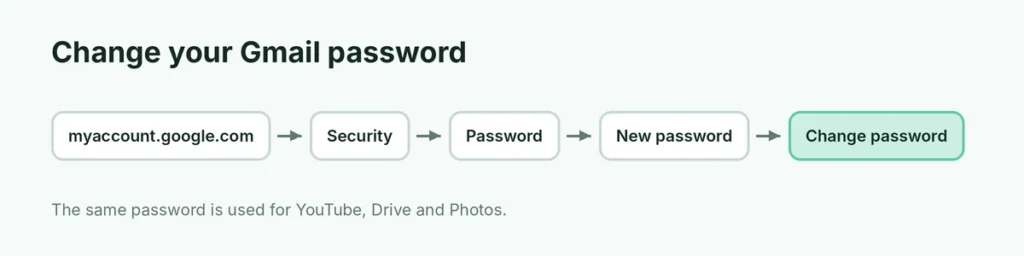
- Go to myaccount.google.com (or in Gmail, click your profile picture → Manage your Google Account).
- Click Security in the left menu (on some layouts Security & sign-in).
- Under How you sign in to Google, click Password.
- Sign in again with your current password if asked.
- Enter your new password and confirm it.
- Click Change password.
How to change your Gmail password on Android
- Open Settings → Google → Manage your Google Account.
- Tap the Security tab at the top.
- Tap Password, verify it’s you, then enter the new password twice and tap Change password.
How to change your Gmail password on iPhone
- Open the Gmail app.
- Tap your profile picture (top right) → Manage your Google Account.
- Tap Security → Password.
- Sign in, enter the new password and tap Change password.
Forgot your Gmail password? Reset it instead
- Go to the Gmail sign-in page and enter your email.
- Click Forgot password?
- Google sends a code to your recovery phone or email, or asks you to confirm on a phone where you’re already signed in.
- Follow the steps to create a new password.
If you no longer have access to your recovery phone or email, here’s how to recover a Google account without your phone or email.
What makes a strong password?
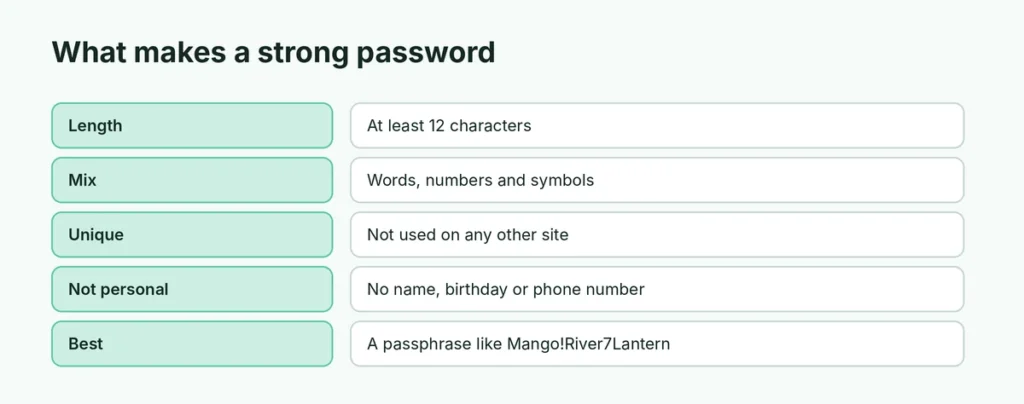
- At least 12 characters.
- A mix of words, numbers and symbols, or a passphrase like
Mango!River7Lantern. - Not used anywhere else. Reusing a password is the main way accounts get hacked.
- Not your name, birthday, phone number or “password123”.
Google’s built-in Password Manager (in Chrome and on Android) can create and remember strong passwords for you.
What happens after you change your password
- You’re signed out of most devices, except the one you used to change it.
- Phones, tablets and computers will ask for the new password next time.
- Apps that use your Google account (Gmail on iPhone Mail, Outlook, smart TVs) may need you to sign in again.
- Google Wallet and saved passwords stay the same.
Better than a password: passkeys and 2-Step Verification
For much stronger protection:
- Turn on 2-Step Verification: myaccount.google.com → Security → 2-Step Verification. Even if someone learns your password, they also need your phone.
- Create a passkey: Security → Passkeys and security keys → Create a passkey. You sign in with your fingerprint, face or screen lock instead of typing a password.
- Use an authenticator app for codes instead of SMS.
Change your password if you see these warning signs
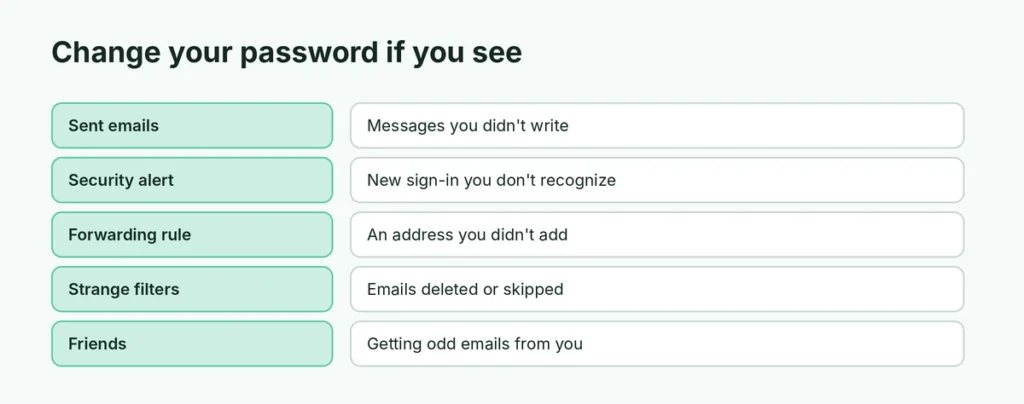
- Emails in Sent that you didn’t write.
- Security alerts from Google about a new sign-in you don’t recognize.
- Forwarding rules or filters you didn’t create (check Settings → Forwarding and POP/IMAP). Here’s how Gmail forwarding works.
- Friends getting strange emails from you.
After changing your password, open myaccount.google.com → Security → Your devices and sign out of any device you don’t recognize.
Can’t change the password? Common problems
- “You can’t change your password right now”: Google may block changes right after you’ve changed it, or on a new device. Wait 24 hours or use a device you’ve used before.
- Work or school account: your administrator may manage passwords; ask them.
- Password rejected: you can’t reuse a recent password, and it must be at least 8 characters.
Can I change my Gmail password without the old password?
Not directly. To change it, Google asks you to sign in first. If you don’t remember the current password, use Forgot password? on the sign-in page instead. Google verifies you with your recovery phone, recovery email or a device that’s already signed in, then lets you set a new password. The end result is the same.
How often should I change my Gmail password?
Security experts no longer recommend changing passwords on a fixed schedule if your password is long, unique and protected by 2-Step Verification. Change it right away when:
- Google sends a critical security alert,
- you shared it with someone or typed it on a public computer,
- a website where you used the same password was hacked,
- you notice anything strange in your account.
You can check if your saved passwords appeared in known leaks at passwords.google.com → Password Checkup.
Does changing my Gmail password change my YouTube password?
Yes. Gmail, YouTube, Google Photos, Drive and the Play Store all use the same Google account password. Change it once and it’s changed everywhere. You don’t need separate passwords for each service.
How do I see my Gmail password if I forgot it?
Google never shows your password, even to you. But if you saved it in a password manager, you can view it:
- Google Password Manager: go to passwords.google.com, find google.com and click the eye icon (you’ll verify it’s you).
- iPhone: Settings → Passwords (or the Passwords app) → search google.
- Samsung Pass or another manager: open the app and search for Google.
If it isn’t saved anywhere, reset it with Forgot password?
Change Gmail password on a work or school account
Workspace accounts follow the same steps in myaccount.google.com → Security. Some organizations require a password change every few months or block it entirely, in which case the IT team handles resets.
Related Gmail guides
- How to create a new Gmail account
- How to find archived emails in Gmail
- How to unsend an email in Gmail
The short version
Go to myaccount.google.com → Security → Password (or Manage your Google Account → Security → Password in the Gmail app), sign in, and set a new, unique password. If you forgot it, use Forgot password? on the sign-in page. Then turn on 2-Step Verification or a passkey, and sign out of devices you don’t recognize.