 By
Bold text makes the important part of a WhatsApp message stand out, like a time, an address or a deadline. WhatsApp has no “B” button on the main screen, but it uses simple symbols around your words, and phones also have a hidden menu for it. Here’s how to write bold, italic, strikethrough and monospace on WhatsApp, plus lists and quotes.
Short answer: put an asterisk on both sides of the text, with no spaces: *like this* becomes like this. Use underscores for _italic_ (_text_), tildes for strikethrough (~text~) and three backticks for monospace. You can also select the text while typing and choose Bold from the menu (Android: under ⋮; iPhone: Format → Bold).
Applies to: WhatsApp on Android, iPhone, WhatsApp Web and desktop, November 2026.
WhatsApp formatting cheat sheet
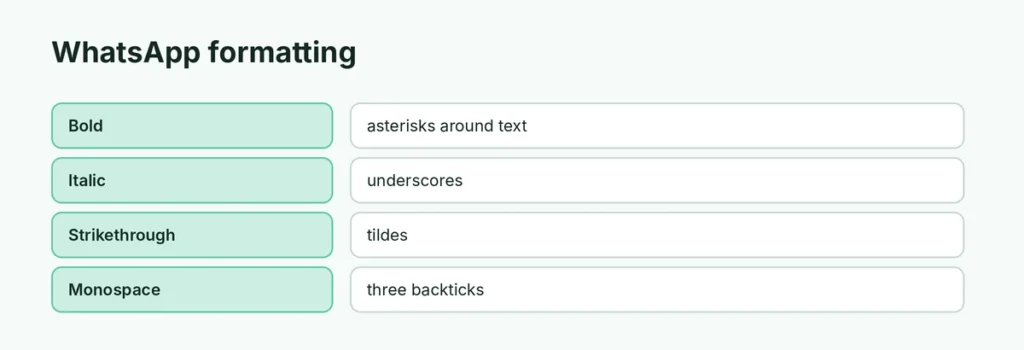
| Style | Type this | You get |
|---|---|---|
| Bold | *text* | text |
| Italic | _text_ | text |
| Strikethrough | ~text~ | text with a line through it |
| Monospace | three backticks before and after | fixed-width text |
| Inline code | one backtick before and after | code-style text |
| Bulleted list | * or - at the start of a line | • item |
| Numbered list | 1. at the start of a line | 1. item |
| Quote | > at the start of a line | indented quote |
You can combine styles: *_bold italic_*.
Method 1: Type the symbols
- Open a chat and type your message.
- Put an asterisk right before and right after the words you want in bold:
Meet at *6 PM*. - Send. The asterisks disappear and the words show in bold.
No spaces inside the symbols. * 6 PM * won’t work; *6 PM* will.
Method 2: Use the menu
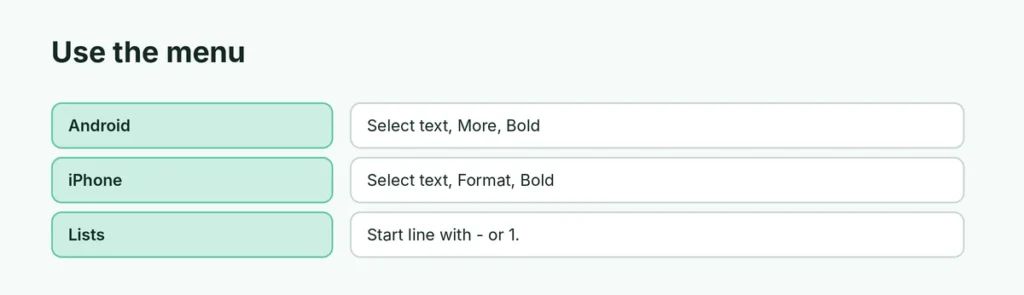
Android
- Type your message, then press and hold a word to select it. Drag the handles to select more.
- Tap ⋮ in the pop-up menu.
- Tap Bold (or Italic, Strikethrough, Monospace).
iPhone
- Type your message and double-tap a word to select it.
- Tap Format in the pop-up (tap > if you don’t see it).
- Tap Bold.
Lists and quotes
Start a line with - or * for a bullet, 1. for a numbered list, or > for a quote. These newer styles work on current versions of WhatsApp; if you see the symbols instead, update the app.
Formatting not working?
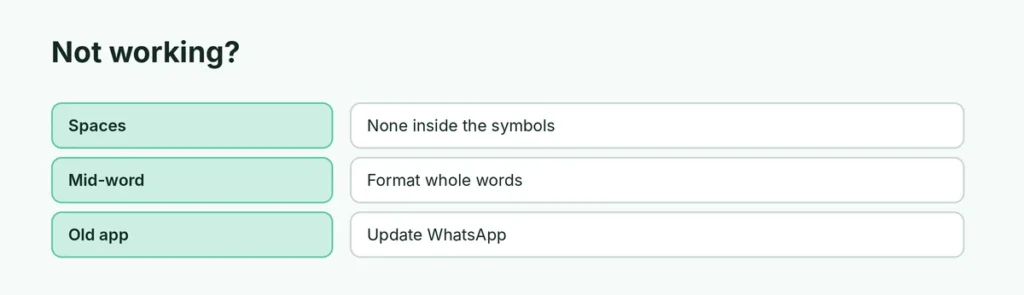
- Spaces: make sure there’s no space between the symbol and the first or last letter.
- Symbols in the middle of a word: WhatsApp only formats whole words or phrases.
- Old version: update WhatsApp from the Play Store or App Store.
- Status and captions: formatting works in chats and most captions; for fancy fonts on a status, use the T button in the editor. See how to add a caption to a WhatsApp Status.
Related guides
- How to pin a message on WhatsApp
- How to schedule a WhatsApp message
- WhatsApp’s 4 new group chat features
The short version
Wrap words in asterisks for bold (*text*), underscores for italic (_text_), tildes for strikethrough (~text~) and three backticks for monospace, with no spaces inside the symbols. Or select the text and pick Bold from the menu (⋮ on Android, Format on iPhone). Start lines with -, 1. or > for lists and quotes.
Sources
- WhatsApp Help Center: How to format your messages
- MacRumors: How to master WhatsApp’s text formatting options