By
By 
Facebook’s professional mode turns your personal profile into a creator profile, with insights, followers and earning tools. If you turned it on to try it, or Facebook nudged you into it, you might want your normal profile back. Here’s how to turn off professional mode on Facebook on the app and computer, and what happens to your followers, posts and earnings.
Short answer: go to your profile, tap the three dots (…) next to Edit profile, and tap Turn off professional mode, then confirm. On a computer, open your profile, click the three dots under your cover photo and choose Turn off professional mode. Your posts and friends stay. You lose professional tools like insights and monetization, and because Facebook has phased out public followers on personal profiles, people who follow you but aren’t your friends may stop following you.
Applies to: Facebook app for Android and iPhone, and facebook.com, October 2026. Facebook sometimes moves buttons; if you don’t see the option, check the profile menu or Settings.
What changes when you turn off professional mode
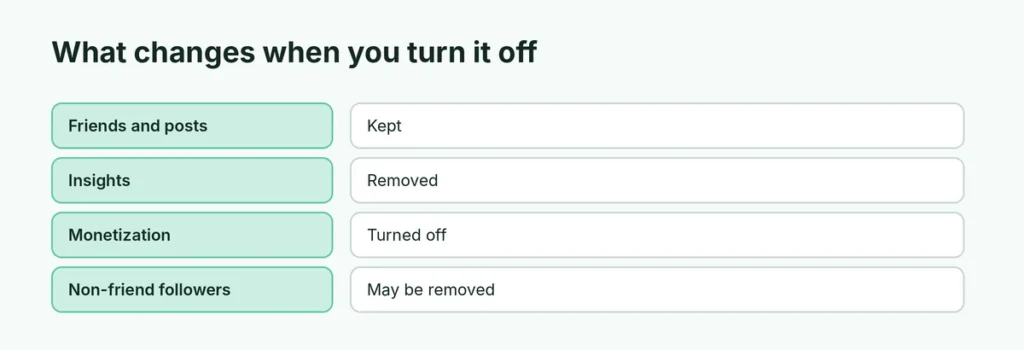
| Professional mode on | Off (normal profile) | |
|---|---|---|
| Friends | Kept | Kept |
| Posts and photos | Kept | Kept |
| Followers (non-friends) | Yes | May be removed; friends stay |
| Professional dashboard and insights | Yes | No |
| Monetization (Stars, ads, subscriptions) | If eligible | Turned off |
| Public “Digital creator” category | Shown | Removed |
How to turn off professional mode in the Facebook app
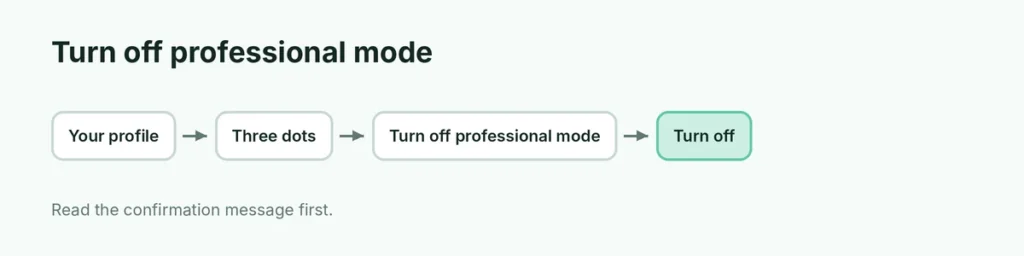
- Open the Facebook app.
- Tap your profile picture to open your profile.
- Tap the three dots (…) next to Edit profile.
- Tap Turn off professional mode.
- Read the message and tap Turn off to confirm.
How to turn off professional mode on a computer
- Go to facebook.com and open your profile.
- Click the three dots under your cover photo (next to Edit profile).
- Choose Turn off professional mode.
- Click Turn off.
Don’t see “Turn off professional mode”?
- Update the app and try again.
- Check Settings & privacy → Settings for a Professional mode or Profile setup option.
- If you have active monetization (for example, pending payouts or subscriptions), Facebook may ask you to end them first.
- If you manage the profile through Meta Business Suite, try from your personal profile in the main Facebook app.
Will I lose my followers?
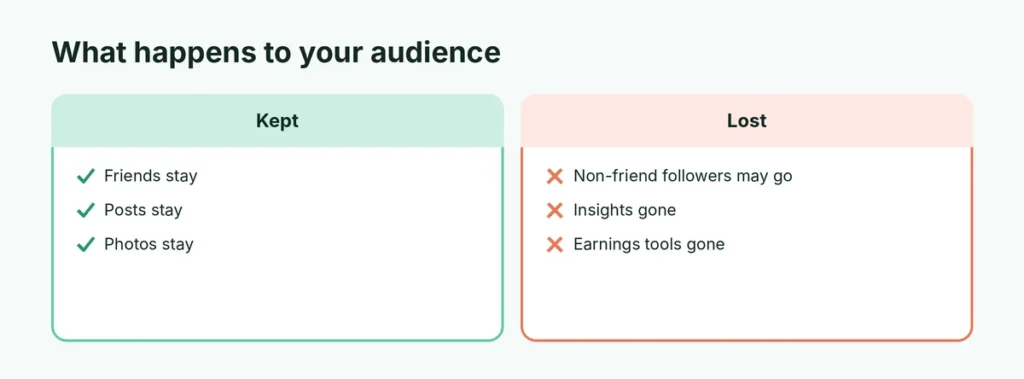
Your friends stay. Followers who aren’t friends are a different story. In late 2024, Facebook began phasing out public followers on personal profiles, and professional mode became the main way to keep them. So turning professional mode off may remove those followers. Facebook shows a message explaining what you’ll lose before you confirm, so read it carefully.
If you have a large audience, think twice, or move it to a Facebook Page first.
Professional mode vs. a Facebook Page
If you want a public presence without changing your personal profile, a Facebook Page is the other option. Pages are separate from your personal profile and good for businesses and brands. Professional mode is a middle ground for creators who want one profile.
Can I turn professional mode back on?
Yes. Go to your profile → three dots → Turn on professional mode. Some old insights may not come back.
Other options for privacy
If your goal is privacy rather than leaving professional mode:
- Set Who can see your future posts to Friends in Settings & privacy → Settings → Audience and visibility.
- Turn off your active status in Messenger settings.
- Use Profile locking where available.
If you’re done with Facebook completely, here’s how to delete your Facebook account.
Related guides
- How to delete your Facebook account
- How to turn off Instagram read receipts
The short version
Open your profile, tap the three dots next to Edit profile, and choose Turn off professional mode. Friends and posts stay, but you lose insights, monetization and possibly followers who aren’t friends. Read Facebook’s confirmation message before you tap Turn off.