By
By 
Google’s AI assistant Gemini is now built into Android phones, the Google app, Gmail, Chrome and more. If you’d rather not use it, or you want to stop it saving your chats, you have several options. Here’s how to turn off Gemini on Android, stop it opening from the power button, turn off Gemini activity, and limit Gemini in Gmail and Google apps.
Short answer: Google began replacing Google Assistant with Gemini on Android phones on September 4, 2026, so switching back to Assistant is no longer possible on updated phones. Instead, go to Settings → Apps → Default apps → Digital assistant app and choose None, turn off “Hey Google” in Gemini’s settings, and change the long-press of the power/side button to the power menu. To stop Gemini saving chats, open Gemini → Settings → Gemini Apps Activity and turn off Keep Activity. You can also disable or uninstall the Gemini app in Settings → Apps.
Applies to: Android phones (Pixel, Samsung and others), Gemini app, October 2026. Menu names vary a little by phone maker.
Option 1: Set your default assistant to None
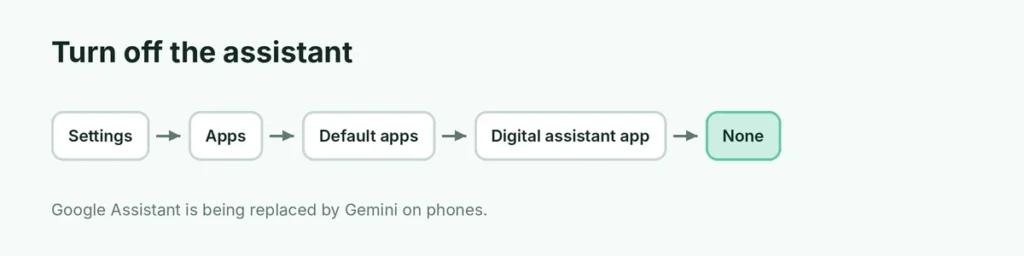
- Open Settings → Apps.
- Tap Default apps.
- Tap Digital assistant app (on some phones: Device assistance app).
- Choose None.
Now Gemini won’t open from gestures or the home button as your assistant.
Can I switch back to Google Assistant? Not on most phones. Google started replacing Assistant with Gemini on Android phones and tablets on September 4, 2026, and the change is permanent on updated devices.
Turn off “Hey Google”: in the Gemini app, tap your profile picture → Settings → Google Assistant features or “Hey Google” & Voice Match (wording varies) and turn off Hey Google.
Option 2: Stop the power button opening Gemini
Pixel: Settings → System → Gestures → Press and hold power button → choose Power menu.
Samsung: Settings → Advanced features → Side button → under Press and hold, choose Power off menu.
Now holding the button shows the power menu, not Gemini.
Option 3: Turn off Gemini Apps Activity (Keep Activity)
This stops Gemini saving your chats to your Google account for long periods and using them to improve Google’s AI.
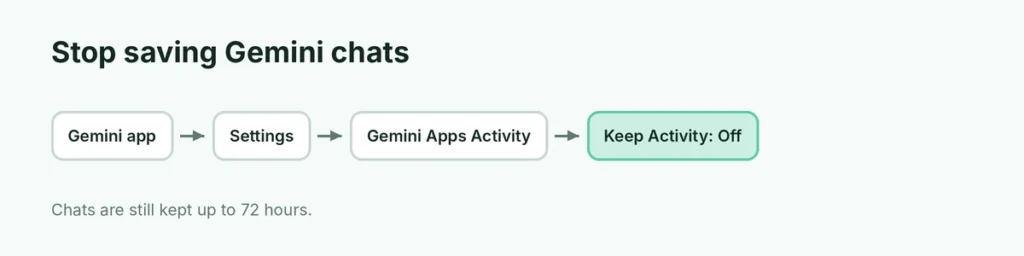
- Open the Gemini app (or gemini.google.com).
- Tap the menu (two lines, top left) → Settings (gear).
- Tap Gemini Apps Activity.
- Turn off Keep Activity.
You can also delete past chats on the same page. Google says chats are still kept for up to 72 hours even with the setting off, to provide the service.
Option 4: Disable or uninstall the Gemini app
- Open Settings → Apps.
- Tap See all apps and choose Gemini.
- Tap Uninstall (or Disable if it came with your phone).
A future system update may reinstall it, so check after updates.
Option 5: Limit Gemini in Gmail and Google Workspace
In Gmail, Gemini features are tied to smart features:
- Open Gmail → Settings → See all settings (on a computer).
- On the General tab, find Smart features.
- Turn off smart features in Gmail, Chat and Meet (and in other Google products if you want).
This turns off Gemini summaries and help in Gmail, but also turns off some helpful things like automatic categories and smart compose. For work or school accounts, your admin controls Gemini.
Gemini in Chrome and Google Search
- Chrome: Gemini appears as a button in the toolbar on some computers. Right-click it and choose to unpin or hide it, or check Settings → AI innovations (or Gemini in Chrome) where available.
- Google Search: AI Overviews and AI Mode are separate. Here’s how to turn off AI Overviews.
Quick summary
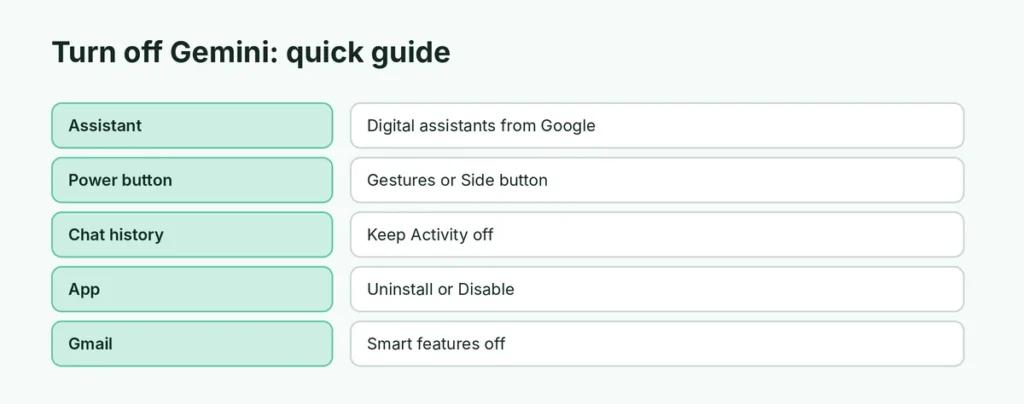
| What you want | Where |
|---|---|
| No assistant at all | Settings → Apps → Default apps → Digital assistant app → None |
| Stop power button opening Gemini | Settings → Gestures (Pixel) or Side button (Samsung) |
| Stop saving chats | Gemini → Settings → Gemini Apps Activity → Keep Activity off |
| Remove the app | Settings → Apps → Gemini → Uninstall or Disable |
| No Gemini in Gmail | Gmail → Settings → Smart features off |
Related guides
- How to turn off AI Overviews in Google
- How to change your default Google account
The short version
Set Digital assistant app to None (switching back to Google Assistant is no longer possible on updated phones), set the power button to open the power menu, turn off Keep Activity in Gemini Apps Activity, and uninstall or disable the Gemini app. Turn off Gmail smart features to remove Gemini there too.