 By
Switched your Instagram to a business or creator account and now want your normal personal account back? It takes a few taps, and you keep your followers and posts. Here’s how to turn off a business account on Instagram, what you lose, and how to make the account private again.
Short answer: go to your profile → menu (three lines) → Settings and activity → scroll to For professionals or Account type and tools → Switch account type → Switch to personal account, then confirm. You keep your posts and followers, but lose insights, contact buttons, promotions and the category label. After switching, you can turn on Private account if you want.
Applies to: Instagram app for iPhone and Android, October 2026. Instagram moves this menu often; the search bar in Settings helps.
What changes when you switch to personal
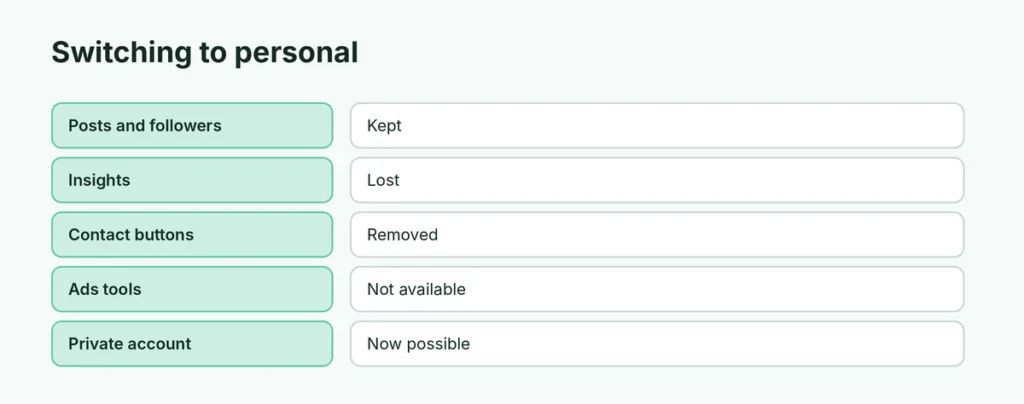
| Professional (business/creator) | Personal | |
|---|---|---|
| Posts and followers | Kept | Kept |
| Insights (analytics) | Yes | Lost |
| Contact buttons (email, call) | Yes | Removed |
| Category label (e.g. “Digital creator”) | Shown | Removed |
| Ads and promotions | Yes | Not available |
| Private account option | Not available | Yes |
| Shopping and branded content tools | Yes | No |
Running ads? End active promotions first, or they may stop when you switch.
How to switch an Instagram business account to personal
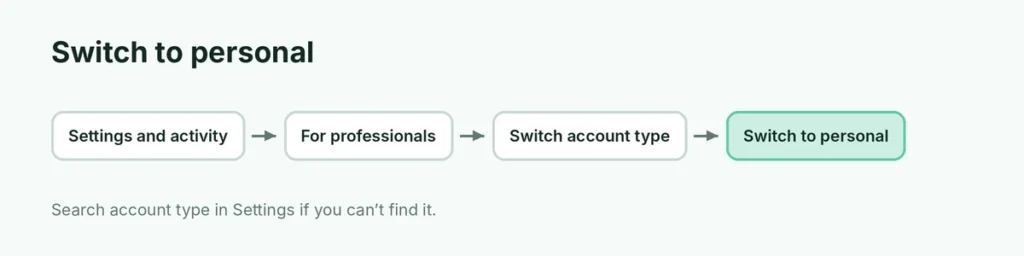
- Open Instagram and tap your profile picture.
- Tap the menu (three lines) at the top right.
- Tap Settings and activity.
- Scroll down to For professionals and tap Account type and tools (wording varies).
- Tap Switch account type.
- Tap Switch to personal account, then confirm.
Can’t find it? Type account type in the Settings search bar.
Make your account private
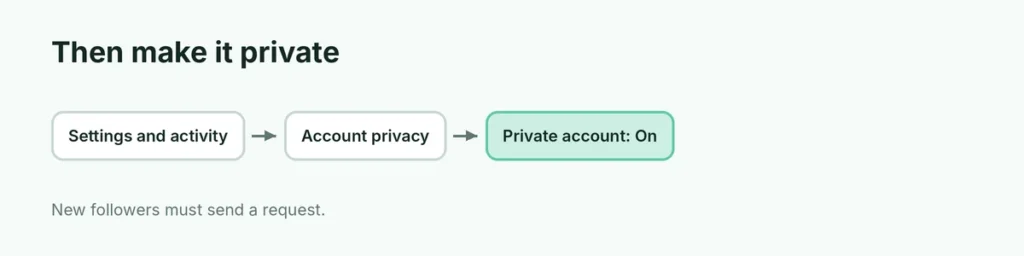
Only personal accounts can be private:
- Settings and activity → Account privacy.
- Turn on Private account.
Existing followers stay; new people must send a request.
Switch from business to creator instead
If you only want different tools (for example, more flexible music options or creator insights), choose Switch to creator account in the same menu. You keep insights.
Will I lose followers?
No. Followers, posts, comments and DMs all stay. Only professional features are removed. If you switch back later, older insights may not return.
Instagram business account linked to Facebook
If your account is connected to a Facebook Page or Meta Business Suite, switching to personal may disconnect some business features. Check Accounts Center for connected experiences you want to keep.
Related guides
The short version
Open Settings and activity → For professionals → Switch account type → Switch to personal account. Posts and followers stay; insights, contact buttons and ads tools go. Turn on Private account afterwards if you like.