 By
5G can be fast, but in many places the signal is weak and it drains the battery quicker than 4G LTE. If your iPhone keeps dropping calls, getting hot or losing battery fast, switching off 5G may help. Here’s how to turn off 5G on iPhone and what the 5G settings mean.
Short answer: go to Settings → Cellular (or Mobile Data) → Cellular Data Options → Voice & Data and choose LTE. With Dual SIM, tap the line first. Choose 5G Auto if you want iPhone to use 5G only when it won’t hurt battery life, or 5G On to always use it.
Applies to: iPhone 12 and later on iOS 26, with a carrier and plan that support 5G. Last checked in October 2026.
How to turn off 5G on iPhone
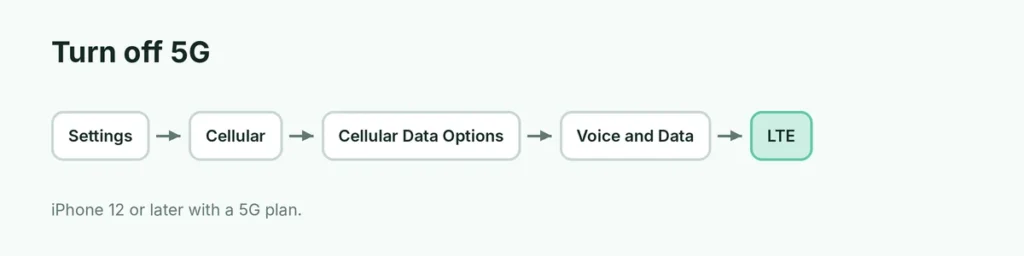
- Open Settings.
- Tap Cellular (or Mobile Data).
- Tap Cellular Data Options. With two SIMs, choose the line first.
- Tap Voice & Data.
- Choose LTE.
Your iPhone now uses 4G LTE.
5G settings explained
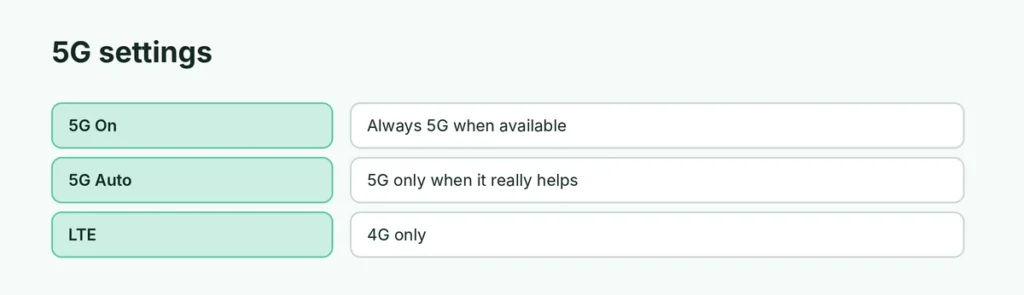
| Setting | What it does |
|---|---|
| 5G On | Always uses 5G when available; may use more battery |
| 5G Auto | Uses 5G only when speed is noticeably better (Smart Data mode) |
| LTE | Uses 4G LTE only, even if 5G is available |
Don’t see 5G options?
- Your iPhone must be iPhone 12 or later.
- Your carrier and plan must support 5G on iPhone.
- Update carrier settings: Settings → General → About (a pop-up appears if there’s an update).
- Some regions show Voice & Data only after you insert the SIM or set up the eSIM.
Data Mode with 5G
Under Cellular Data Options → Data Mode:
- Allow More Data on 5G: higher-quality FaceTime, video and downloads on 5G.
- Standard: normal.
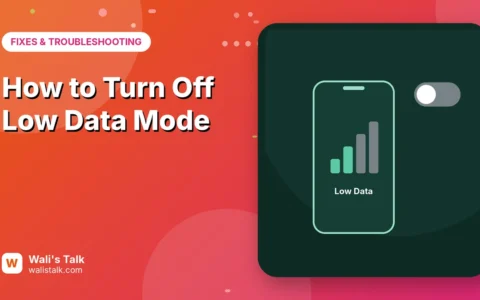
- Low Data Mode: saves data. Here’s how to turn off Low Data Mode.
Should I turn off 5G?
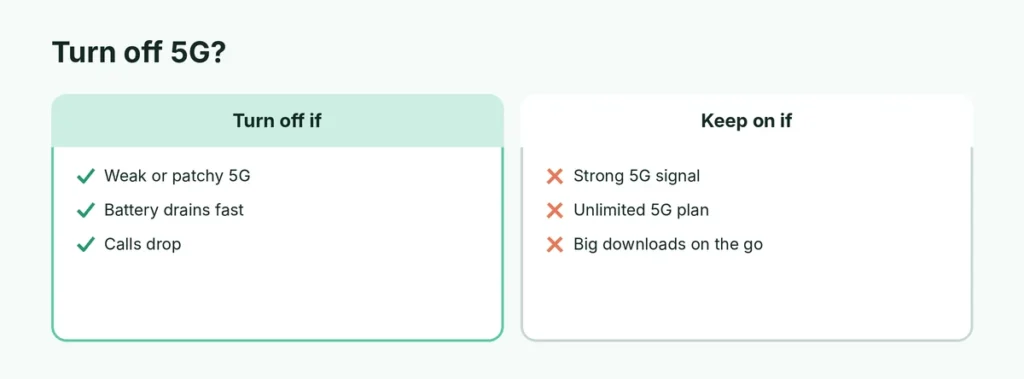
| Turn 5G off if… | Keep 5G if… |
|---|---|
| Signal keeps switching between 5G and LTE | You get strong 5G and fast speeds |
| Battery drains fast | You have an unlimited 5G plan |
| Calls drop in 5G areas | You download large files on the go |
| Your phone gets warm | Battery life is fine |
5G Auto is a good middle ground for most people.
Does Low Power Mode turn off 5G?
Mostly, yes. Low Power Mode limits 5G except for video streaming and large downloads. See how Low Power Mode works.
Android
On Android: Settings → Network & internet (or Connections) → SIMs / Mobile networks → Preferred network type → choose LTE or 4G.
Related guides
The short version
Go to Settings → Cellular → Cellular Data Options → Voice & Data and choose LTE to turn off 5G. 5G Auto saves battery while still using 5G when it really helps. Options depend on your iPhone model, carrier and plan.
Sources
- Apple Support: Use 5G with your iPhone