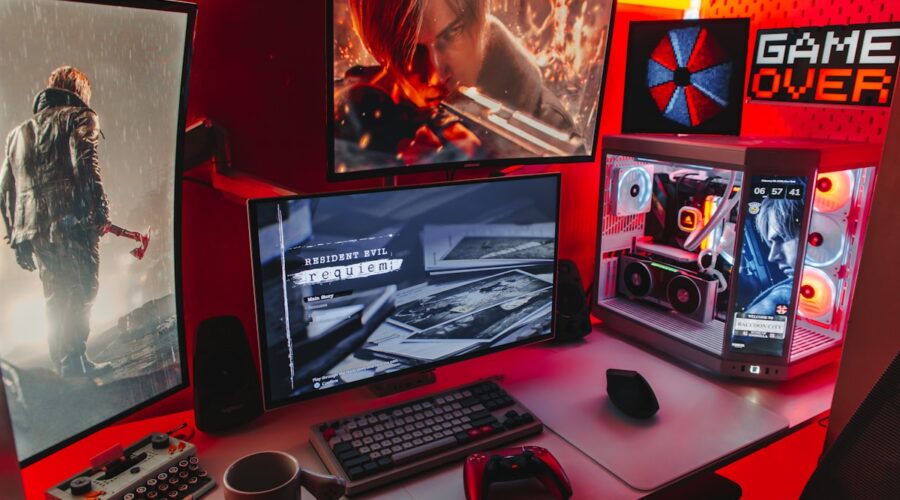
For competitive gamers, input lag — the delay between pressing a button and seeing the corresponding action on screen — can genuinely be the difference between winning and losing close matches. Understanding where input lag actually comes from throughout your gaming setup makes it possible to systematically reduce it rather than guessing at random fixes.
Display Input Lag
Monitors and TVs process incoming video signals before displaying them, and this processing introduces a small but measurable delay that varies significantly between displays. Enabling “Game Mode” on a monitor or TV, which typically disables non-essential image processing features, is one of the single most impactful changes for reducing input lag from your display specifically.
Refresh Rate’s Role in Perceived Responsiveness
While refresh rate and input lag are technically different measurements, a higher refresh rate display does meaningfully reduce the perceived delay between an action and seeing it reflected on screen, since frames are updated more frequently. For competitive gaming specifically, prioritizing a higher refresh rate display, even over higher resolution, generally provides a more noticeable competitive advantage.
Wired vs Wireless Peripherals
While modern wireless gaming peripherals have closed much of the input lag gap compared to wired alternatives, a genuinely wired connection still eliminates any theoretical wireless transmission delay entirely. For the most demanding competitive scenarios, wired keyboards, mice, and controllers remain the safest choice to eliminate any possible source of additional input lag.
Network Latency for Online Games
For online multiplayer games specifically, network latency, commonly called ping, often has a far bigger impact on competitive performance than local hardware input lag. A wired ethernet connection, rather than Wi-Fi, meaningfully reduces network latency and, just as importantly, reduces the inconsistency in latency that can make gameplay feel unpredictable even when average ping numbers look acceptable.
In-Game Settings That Affect Input Lag
Certain graphics settings, particularly V-Sync and some frame-smoothing technologies, can introduce additional input lag in exchange for smoother visual output. For competitive play specifically, disabling V-Sync and prioritizing a stable, uncapped frame rate above your monitor’s refresh rate, where your hardware allows it, generally provides the most responsive competitive experience, even if it means occasional visual tearing.
Operating System and Background Software Considerations
Background applications competing for system resources can introduce inconsistent performance dips that indirectly affect input responsiveness during gameplay. Closing unnecessary background applications, particularly ones that use meaningful CPU or network resources, before a competitive gaming session helps maintain more consistent performance throughout.
Testing Your Actual Setup
Several dedicated tools exist for measuring your specific setup’s real-world input lag, providing a more objective picture than relying purely on subjective feel. Testing before and after making changes, rather than assuming a change helped based on manufacturer marketing claims alone, gives a more reliable picture of what’s genuinely improving your specific setup’s responsiveness.
Prioritizing Changes for Maximum Impact
For most competitive gamers, enabling game mode on your display and switching to a wired internet connection typically provide the most noticeable improvement relative to effort required, making them the sensible starting point before investing in more expensive hardware upgrades specifically targeting input lag reduction.