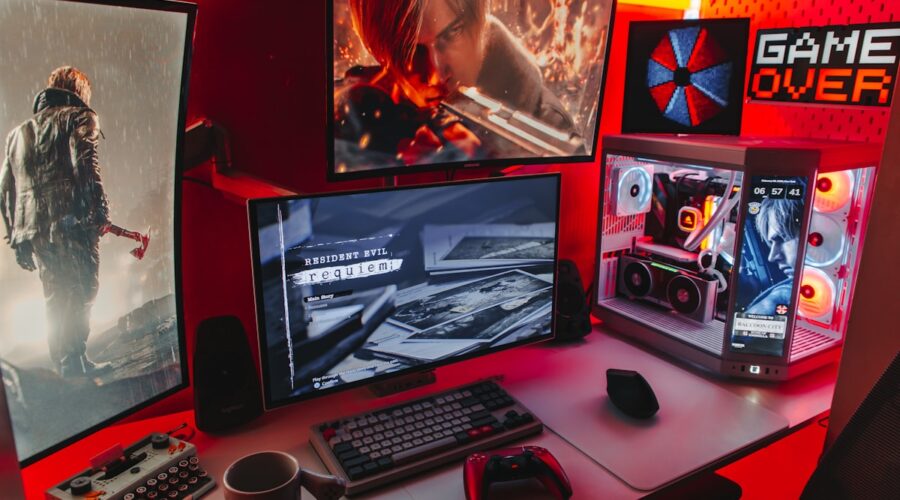
Getting started with PC gaming can feel intimidating given how much conflicting advice exists online about what hardware is genuinely necessary. The good news is that a budget-conscious gaming setup can deliver a genuinely satisfying experience for the vast majority of popular games, as long as you prioritize the right components.
Prioritize the Graphics Card First
For gaming specifically, the graphics card has the single biggest impact on performance and visual quality. When working with a limited budget, it’s almost always better to allocate more of your budget toward a capable graphics card and correspondingly less toward the processor, since most modern games are more graphics-intensive than processor-intensive for typical gameplay.
Matching Your Monitor to Your Budget
There’s little benefit in pairing a budget graphics card with an expensive, high-resolution, high-refresh-rate monitor that the graphics card can’t actually drive at full quality settings. A 1080p monitor with a solid refresh rate is generally the more sensible pairing for budget gaming builds, delivering smooth, enjoyable gameplay without the graphics card straining to hit acceptable frame rates at a higher resolution it wasn’t built for.
RAM and Storage on a Budget
16GB of RAM has become the practical minimum for smooth modern gaming without stuttering or excessive loading, and a solid-state drive, even a budget one, dramatically improves load times compared to a traditional mechanical hard drive. If budget requires a tradeoff, prioritizing an SSD over additional RAM beyond 16GB tends to deliver a more noticeable improvement to everyday gaming experience.
Considering Pre-Built vs Building Your Own
Building your own PC can offer better value for the same performance level, but requires genuine comfort with basic hardware assembly and troubleshooting. Pre-built gaming PCs offer convenience and warranty support that can be worth the modest price premium for first-time builders who aren’t confident troubleshooting hardware issues on their own.
Console vs PC for Budget Gaming
For genuinely budget-conscious gaming, current-generation consoles often deliver better value per dollar than an equivalently priced PC build, since console hardware is sold at a subsidized price offset by game and subscription sales. PC gaming’s advantage lies in flexibility, backward compatibility with older game libraries, and the ability to upgrade individual components incrementally over time rather than replacing an entire console generation at once.
Peripherals Don’t Need to Be Expensive
A budget-friendly mechanical or hybrid keyboard and a basic gaming mouse with adjustable sensitivity cover the genuine needs of most gamers without needing premium peripheral pricing. Peripherals are one of the easier areas to save money on a budget build without meaningfully sacrificing the actual gaming experience.
Planning for Future Upgrades
One advantage of PC gaming on a budget is the ability to upgrade individual components over time as your budget allows, rather than replacing an entire system at once. Choosing a power supply and case with enough headroom for a future graphics card upgrade, even if you can’t afford a top-tier one initially, is a smart way to plan for gradual improvement without an expensive full system replacement later.
Final Advice
A well-balanced budget gaming setup prioritizing the graphics card, paired with a realistic monitor choice and adequate RAM and storage, will deliver a genuinely satisfying gaming experience for the vast majority of popular titles, without needing to chase the highest-end components available.